Saturday, January 14, 2017

New Year Start: Photo and iMovie

2017 is here. One import thing I recommend to do for your Mac is to create new libraries for your both Photos and iMovie apps.

We import most of our photos and movies, medias, to Photos and iMovie apps. Do you realize that there are too many medias in Photo or iMovies. This is a problem. At least too many medias would slow down your Mac performance. Another risk is that if any thing wrong to cause library messed up or unable to open, years of memory may not recoverable.

My personal preference to create a new library for my medias. At the start of new year, I create a new one and continue to import medias to the new library.

Photos

Normally I place Photos at my Dock. From there, hold Option key and click on Photos. This will bring up open window:


From there you have choice to create new one from Create New... button. Follow convention, create a new library in your home's Pictures folder. Your home is your account name. I name the library as "Photos Library 2017".

iMovie


New library can be created from iMovie app itself. From menu, File->Open Library->New...


The default location of iMovie library is at your home's Movies folder. I name the new library as "iMovie Library 2017"


Another benefit to partition your medias in year base is that the library files are much smaller. It makes it much easy to back up photos and movies to your TimeMachine.

After your partition, you can copy or move your previous media libraries to another hard drive. I hope this tip will much Mac life much easier.

By the way, a good practice to add an event in your iCloud calendar at the first date of new year, just remind you a routine work of creating new libraries in your Mac.


Friday, January 6, 2017

Easy Way to Get File/Folder Path

To get full path of a file or folder in Mac is not easy nor straightforward. There is no address field like text in Finder to display the full path when a file or folder is selected. There may be status bar displaying its path but not copiable.

I think that long time ago, in Mountain Lion OS, there was an easy way to get file or folder's path. This could be done in Spotlight. If a file or folder name is displayed in Spotlight, you could copy or cmd+c to get its full path to clipboard.

However, this feature is gone in the current Mac OS. The copy in clipboard is selected pasted-out depending on the target. For example, only the file name is pasted out in most cases, such as in Spotlight, Safari's address bar, or most of text field in other apps. In TextEdit or Pages, the content of the file might be pasted out.

Even though, I figured out that there is a way to get full path: from Terminal!

Terminal is an app that provides text-based access to Mac OS. Terminal has been very old app since Unix. From there you can communicate with Mac OS by various text commands. Here I would not talk about it usage or functions.

We can use Terminal to paste full path! This is very simple:

  1. Open Finder
  2. Either browse to a file/folder, or search for a file/folder from Finder's spotlight
  3. Select a file or folder
  4. Copy it by pressing Command+C
  5. Open Terminal from Spotlight (Command + Space to open Spotlight, type in "Terminal". If you cannot find it, you can locate it in /Applications/Utilities)
  6. In Terminal, press Command+V to paste full path!

Wednesday, March 18, 2015

Edit Movie from DVD

I rarely use DVDs. However, recently I got a request to edit movie from DVD. I thought I had a post long time ago. I tried that; unfortunately, the app I tried is no longer supported by the current OS.

In short time, I found a solution to rip DVD. The app is an open source project: HandBrake. I downloaded the app for Mac. I had to allow any app for temporary from System Preference:Security so that the app could be opened.


I tried HandBrake and it did the job as my expectation, ripped DVD to m4p movie file. Then I used Quicktime Trim feature to cut pieces we need to finish our work.

Reference


Saturday, September 20, 2014

Updates: Safari 7.1 and Xcode 6.0.1

The updates include Safari 7.1 and Xcode 6.0.1.


Here is the space difference between before and after for the update:

Command: df -lakUsed(Kilobytes in 1024-blocks)
Before Safari…5,488,700
After Safari…4,740,172
Difference (A-B)-748,528
After Xcode…2,838,028
Difference (AX-AS)-1,902,144
Capacity50%

Wednesday, September 17, 2014

Mac OS Updates

After Apple event at September 9, 2014, with iPhone 6, Apple Pay and Apple Watch release, the iOS was released today on September 17 Wednesday. I have updated my iPhone 5s today.

Today I also got the following updates: Apple Configurator version 1.6 and OS X update 10.9.5. The OS X update requires reboot.


Here is the space difference between before and after for the update:

Command: df -lakUsed(Kilobytes in 1024-blocks)
Before Configurator…69,064
After Configurator…11,844
Difference (A-B)-57,220
After OS…24,540
Difference (AOS-AC)12,696
Capacity50%

Tuesday, September 2, 2014

iMac Experience

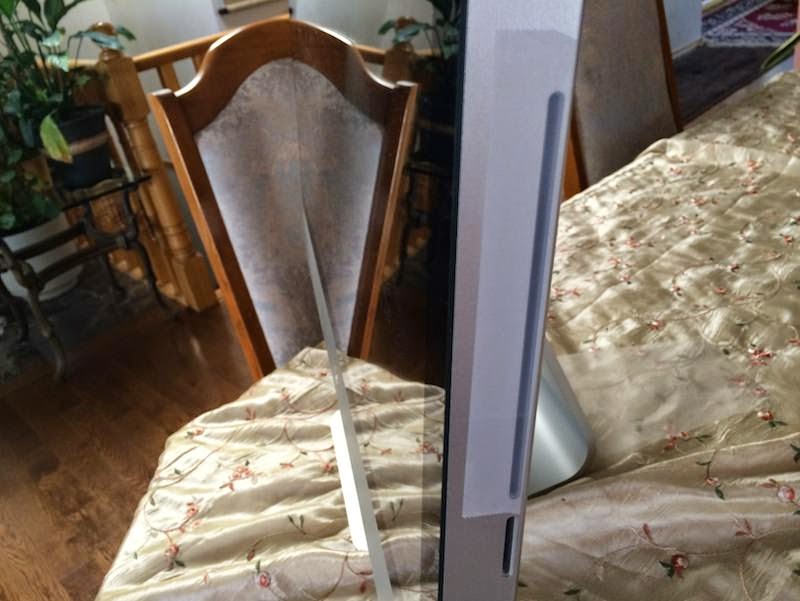
This is my recent experience with my iMac 27. No thing wrong with it, however, I mistakenly put my flash camera disk into DVD slot when I was trying to import photos to iPhoto app. My old iMac 27 has both DVD and flash disk slots on the right side.

I tried to pull the disk out. As most of disk was already in the slot, it was so hard to grab it. I tried to use a think screw drive to move it out, but it was pushed completed in to the slot. The DVD slot is so small, and there is no easy way to find my disk.


The only way to get it is to open my iMac. I could do it by following instructions from YouTube videos. However, it would be too risky and time consuming. I thought about Apple Retail Store genius support. Then I made an appointment.

The next day I went to local Apple Retail shop. I told a technician my story. He smiled and told me no worries. He carried the iMac to the back room. Within minutes, he came back with my camera disk out. He told that they have tool to get the disk out.

There is no any charge for this service. I was so happy. I talked to another lady nearby with my story. She said, Yes, I love Apple service!

I used to work at computer store. This kind of service there must be a minimum one hour charge. Apple service is absolutely excellent. Normally, you can bring your computer or mobile devices to their genius bar to get consulting service, most of them are free, unless there is any hardware replacement.

Anyway, still I had to find time to travel to the store to get it serviced. Since the DVD disk is almost useless, I just put a tape over it, to avoid similar mistake.


Thursday, August 21, 2014

Update: iWorks

These updates includes ones for iWork package: iMovie 10.0.5, Keynote 6.2.2, Numbers 3.2.2, and Pages 5.2.2. The following picture contains detail information about the updates.


Here is the space difference between before and after for the update:

Command: df -lakUsed(Kilobytes in 1024-blocks)
Before iMovie…4,041,052
After iMovie…3,083,968
Difference (A-B)-957,084
After Knote…2,957,564
Difference (AK-AM)1,083,488
After Numbers…2,900,344
Difference (AN-AK)-57,220
After Pages…2,824,100
Difference (AP-AN)-76,244
Capacity48%