
Tuesday, March 25, 2014

Updates: Digital Camera Raw Compatibility and GarageBand

There were updates I did two days ago: Digital Camera Raw Compatibility Update 5.04 and GarageBand Version 10.0.2


Here is the space difference between before and after for the update:

Command: df -lakUsed(Kilobytes in 1024-blocks)
Before Camera…6,977,744
After Camera…6,260,412
Difference (A-B)-717,332
After GarageBand…5,664,320
Difference (AG-A)-596,092
Capacity49%

Wednesday, March 12, 2014

Mac Updates: Configurator and Xcode

I just finished two updates today: Apple Configurator 1.5 and Xcode 5.1.


Here is the space difference between before and after for the update:

Command: df -lakUsed(Kilobytes in 1024-blocks)
Before…80,724,036
After…80,683,620
Difference (A-B)-40,416
After Xcode…76,694,872
Difference (AX-A)-3,988,748
Capacity49%

Thursday, March 6, 2014

Update: Mac OS 10.9.2

This update, Mac OS 10.9.2, was done on Feb 28, 2014.


Here is the space difference between before and after for the update:

Command: df -lakUsed(Kilobytes in 1024-blocks)
Before…2,631,852
After…512,228
Difference (A-B)--2,119,624
Capacity50%

Saturday, January 25, 2014

Updates: iTunes, iWorks and iMovie

This is long list of updates: iTunes 11.1.4, all iWorks apps (Numbers 3.1, Keynote 6.1, and Pages 5.1) and iMovies 10.0.2.


Here is the space difference between before and after for the update:

Command: df -lakUsed(Kilobytes in 1024-blocks)
Before iTunes…83,000,260
After iTunes…82,688,564
Difference (A-B)-311,696
After Keynote…82,451,124
Difference (AK-AT)-237,440
After iMovie…78,172,316
Difference (AM-AK)-4,278,808
After Numbers…78,100,352
Difference (AN-AM)-71,964
After Pages…78,079,852
Difference (AP-AN)-20,500
Capacity50%

Friday, January 24, 2014

My 6 years, part of 30 Mac stories

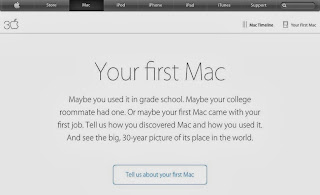
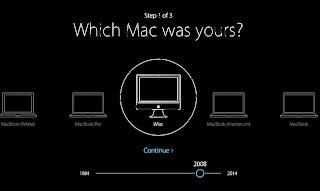
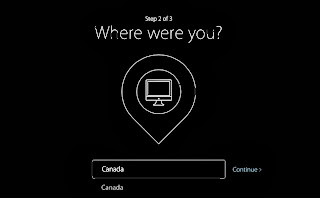
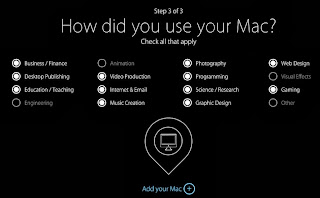
Today I found this news from AppleInsider and then Apple web sites: 30 years of Mac anniversary. This is really inspiration day. I have been part of the Mac stories for 6 years, since my first iMac in 2008.

Not enough words to express my appreciation of Mac enchained my life. Here is my survey from Apple web page.



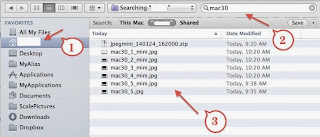
Tip on Spotlight: Finding files


Spotlight is a very useful feature in Mac world. Here is my quick tip: how to use spotlight feature to find a file when you try to find file from Finder. This is specially  useful when you try to update files from internet browser.

Step 1: click your home icon on the left side.
Step 2: type in file name in spotlight
Step 3: files you are looking for will be displayed!

In short, you don't need to know where you files are in your Mac.
Wednesday, January 15, 2014

Windows Key for Mac Keyboard

At work, I use my MBP to access to Windows VM. Recently, I find s shortcut for access Desktop in Windows: Windows key + D. However, MBP does not have a Windows key. Quickly, I found an awesome solution from AskDeferent: Right Command + D!

This works beautifully, the corresponding Windows key in MBP is Right Command.

== >

In addition to that, I also found a shortcut key to show and hide my Dock in small size: Option+Command+D.

Reference


Saturday, December 28, 2013

Update: Configurator 1.4.3

This is update for Apple Configurator 1.4.3


Here is the space difference between before and after for the update:

Command: df -lakUsed(Kilobytes in 1024-blocks)
Before OS…7,848
After OS…35,228
Difference (A-B)27,380
Capacity49%